 Print This Post
Zenburn v2.19
v2.19 has been stewing like a ragù, and now it’s done.
Changes
- LineNr bugfix, fix for directory styles; thank you to Clayton Parker.
- Christophe-Marie Duquesne suggested support for . Thanks! I like the idea of more fine-grained syntax groups. Experimental support is now in and will be enabled if you have the plugin. If you want to disable it manually, let g:zenburn_disable_ctags_highlighting_support = 1. Help is needed with this one.
- New darker Visual is now the default. It doesn’t stick out now and fits the overall colourscheme better even with LineNr. Using the old-style Visual is still possible: let g:zenburn_old_Visual = 1.
Screen shots

- 256-color console high-contrast Visual
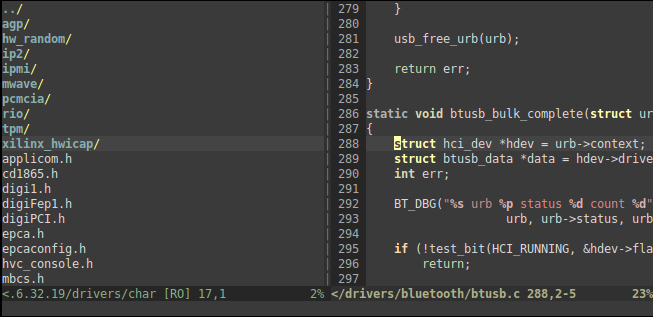
- 256-color console low-contrast directory explorer and LineNr
- 256-color console low-contrast Visual and LineNr

- Gvim high-contrast Visual
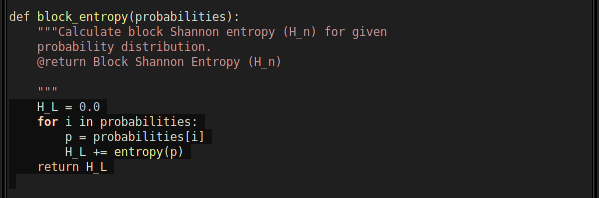

- Gvim high-contrast Visual and LineNr

- Gvim low-contrast Visual and LineNr
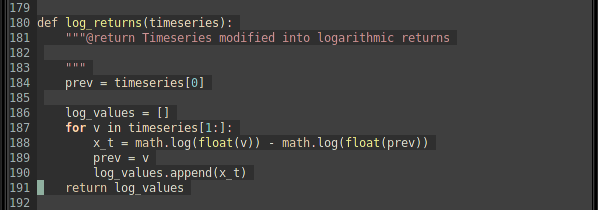
Looks repetitive? Console and Gvim do look quite much the same, but then again, that’s the point :)
Download it!
You can download Zenburn v2.19 from Vim.sf.net or from the Zenburn page.
As usual, please see the Zenburn.vim for more details, and happy zenburning!

No Comments so far
Leave a comment
Leave a comment
Line and paragraph breaks automatic, e-mail address never displayed, HTML allowed: