Toshiba L650D-15G Tip of the Day

Problem

You’ve upgraded to Ubuntu 11.04, it comes with a kernel newer than 2.6.32; and now booting doesn’t work. Grub runs OK, initrd starts up, kernel boots all right, but early at boot you get a blank screen – or if you enable text boot, the last thing you see is somewhere around the “pci_root PNP0A08:00: host bridge window” lines.

If you examine the kern.log, there’s nothing too obvious, except perhaps this:

pci0000:00: Requesting ACPI _OSC control (0x1d)
Unable to assume _OSC PCIe control. Disabling ASPM

Perhaps you’ll also see a “hda_intel: spurious response 0×0:0×0, last cmd=0x0f0000″ repeated hundreds of times. This causes also a quite audible pop from the DAC when the system gets here – you’ll hear a big “snap!” from the speakers.

Solution

Use the “pcie_aspm=off” kernel parameter when booting.

This turns off PCIe ASPM support.

Become root, edit /etc/default/grub. Append the parameter to GRUB_CMDLINE_LINUX_DEFAULT. Then run update-grub2.

After this, ASPM will be always off, but boot is OK, suspend works, audio works, overall the system works just fine like in 2.6.32 kernels. The downsides? Haven’t seen any so far, then again, the laptop is “always” AC powered. Powertop reports about 260 wakeups-from-idle per second as I’m writing this, I’ve not tweaked it. The estimate with battery power hovers around 3h which is well in spec for this laptop.

CPU speed settings are OnDemand for all cores.

PS. The ATI Catalyst driver (fglrx) was used, but I don’t think it makes a difference. I had some problem with Compiz with Radeon (too old Mesa libs probably) so I went for fglrx instead.

PS2. Another route might be to upgrade the BIOS. However, Toshiba (or Insyde or both) currently provides a Windows-only upgrade .exe which can’t run in DOS mode, so no FreeDOS USB/.iso boot tricks work. The .exe won’t really run under Wine, and even if it did, upgrading the BIOS under Wine is somewhat too extreme sports (for me anyway).

A message to Toshiba: please always, always, always provide a BIOS update which can run under DOS, or better yet, Linux. I don’t give a shit if “Toshiba does not support Linux”, you don’t need to support Linux, you just need to stop actively preventing people from supporting Linux themselves. Oh, and thanks for the great laptop, I love it.

Principles of Ubiquitous Computing

Here’s a presentation I made at the 15th Summer School of Telecommunications in 2006. The subject is “Principles of Ubiquitous Computing”.

SSOTC06 Principles of Ubiquitous Computing

In retrospect, there are some notes to be made. Back then when I was reading the available literature and research, there was a kind of concensus that the peer-to-peer model of communication – device-to-device communication without intermediaries – would play a big role, as this would let the device deployments scale without requiring new or existing static network infrastructure. However, the bulk of the ubiquitous computing devices of today (sensors, smart phones, electrical consumption readers, etc.) rely on static communications infrastructure to function.

Also, the “Spam/Big Brother Society” is as relevant a danger as then. As I see it, the danger has merely evolved and is even more extensive today.

Today, more and more information about private individuals are collected with the justification of “with the information, we can show you more relevant advertisements”. The infrastructure of knowing who you are, what you think and who you know is in place to learn what stuff or services we might be currently missing.

At the moment the Spam Society is very benign. However, once this infrastructure and data is in place, it can be hard to remove it or to escape its reach, or to prevent it from transforming into a Big Brother Society. Even if one were to vanish as the target of the data collection today, the previously obtained information would still contain a lot of data that could be misused.

For example, what can happen if a political party with a violent agenda takes power, one way or another? If your profile indicates you have been thinking wrong thoughts, instead of getting advertisements, you would get night-time visitors taking you for a long car ride that culminates in a neck-shot in the woods. Interestingly enough, there is prior art in this kind of horror scenario: the Nazi government used census data which they data mined with IBM’s help to weed out people with Jewish ancestry.

As for the current state of ubiquitous computing devices, the smart phone stands as a lone king. It helps people organize their lives, entertains them, helps them keep connected with others, helps them document their lives with photographs and videos, and so on.

Although not quite as invisible as Weiser envisioned it, for those who have one, the smart phone is always present, ready to serve – and with modern UIs, it tries to not get in the way too much. I’d say at the moment the smart phone is closest to Weiser’s vision of calm technology. Also, over time, the smart phone has gotten only better and I expect this trend to continue.

Generally, a big downside I see with all current smart phones is the level of trust that needs to be placed on the maintainers and owners of the smartphone ecosystem to not abuse the data they collect (the location data, contact data, calendar data, etc.).

For example, Google backs up your WLAN passwords if you enable the Backup My Data option. It’s convenient in case you lose your phone, but do you know who in the end has access to the data and what they do with it? If you disable the option, the data is said to be removed. Fine; now, how will you know this to be true? You can’t know this, there is no way to check, so you just have to have trust. There are technical ways to remove the reliance on trust (e.g. encrypt the backup locally with a user-given key and then upload it), but at the moment such techniques are not used.

That said, I am a happy user of an Android smart phone. Android is open enough and the phone hardware it runs on is documented enough to let a community of enthusiasts make their own aftermarket firmware. Therefore, if I ever become unhappy with the stock Android, I can always install Cyanogenmod.

Zenburn v2.21

New version, v2.21, contains color fixes for the Folded, FoldColumn and TabLine colors. The colors are also aligned in both UI and 256-color versions. Many thanks to Pawe? Piekarski – lay off the coffee man ;)

Note: Originally I intended to fix the “TODO” around this area in version v2.19 fast, and submit a new version the next day. But what can one do, things don’t always work as planned… I had no time to do that. The Folded, FoldColumn and TabLine in v2.19 were quite messed up. Now they work OK!

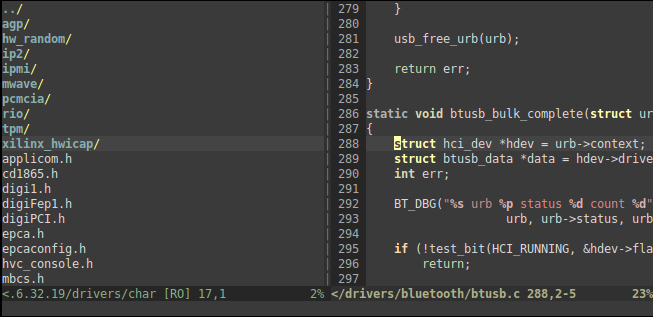
Here’s a console Zenburn with :set fdc=4 and :set tabline.

Zenburn with fdc and TabLine in 256-color mode.

Grab the fresh copy from vim.sf.net or from the official Zenburn page.

Stay in the zone!

Zenburn v2.19

v2.19 has been stewing like a rag�, and now it’s done.

Changes

  • LineNr bugfix, fix for directory styles; thank you to Clayton Parker.
  • Christophe-Marie Duquesne suggested support for . Thanks! I like the idea of more fine-grained syntax groups. Experimental support is now in and will be enabled if you have the plugin. If you want to disable it manually, let g:zenburn_disable_ctags_highlighting_support = 1. Help is needed with this one.
  • New darker Visual is now the default. It doesn’t stick out now and fits the overall colourscheme better even with LineNr. Using the old-style Visual is still possible: let g:zenburn_old_Visual = 1.

Screen shots

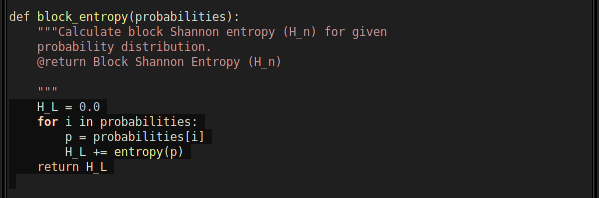
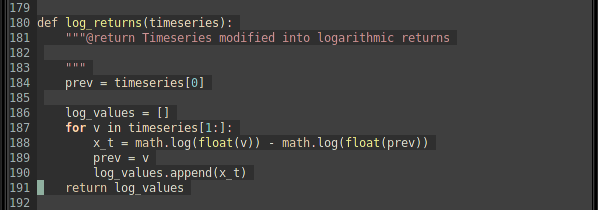
Looks repetitive? Console and Gvim do look quite much the same, but then again, that’s the point :)

Download it!

You can download Zenburn v2.19 from Vim.sf.net or from the Zenburn page.

As usual, please see the Zenburn.vim for more details, and happy zenburning!

Fixing Low Pitched Voice Call Audio in Skype

I don’t really use Skype at home that often. Today I did, and I ran into a problem which I remembered having a long time ago: the voice call audio from me to others sounds lower in pitch, like Darth Vader, or one of those “voice altered to protect the identity” things on TV.

This time, I was arsed enough to fix the Skype issue.

The cause is quite simple: Skype’s SILK voice codec wants to record audio in 24 kHz. However, my HD Audio using Realtek ALC883 chip does not support that sampling rate. Instead, it defaults to 44.1 kHz. The result sounds interesting, but useless for talking over Skype.

So how to fix this? Theory of operation: whatever sampling rate Skype asks you for, just say yes, record in whatever the hardware supports, then rate convert to the sampling rate asked by Skype. This will solve the problem.

To do this in practise, using ALSA, is as follows. First, quit Skype. Don’t just log out, quit the whole thing.

Then, let’s add a software SRC into the proper point in the voice audio uplink path (nerdy!) by adding the following to your ~/.asoundrc:

pcm.skype {                                                                                  
    type plug                                                                                
    slave {                                                                                  
        # normal ALC883                                                                      
        pcm "hw:0,0"                                                                         
                                                                                             
        # skype wants 24 kHz recording input,                                                
        # but ALC883 doesn't support that.                                                   
        # do a rate conversion on the fly.                                                   
        rate 48000                                                                           
    }                                                                                        
}

Note: change the pcm “hw:0,0″ line to whatever is your device – this one uses the default.

To test your new .asoundrc, you can use the command arecord -f S16_LE -c 2 -r 24000 -D skype -d 20 test.wav

If the recording gave no errors, play it back with aplay test.wav. If it sounds OK, you’re good to go.

Next, start Skype. Then go to Options, and set the recording audio device to be “(plug) skype”.

It worked for me, testing using Skype’s echo123 service yields crystal clear audio!

Simple Statemachine for Python

My secret evil scientist projects needed a simple and straightforward way to implement (Mealy) FSAs in Python. I didn’t find an appropriate one, so I made one from scratch which turned out to be a fun learning experience.

You can download it here: statemachine.zip

It’s quite simple to use, please see the runner.py and runner2.py scripts for a demonstration.

The major “selling point” here is that it’s light-weight, and each state defines the transitions; there is no global transition-table. I find it simpler to implement state machines in such OO way. When the FSA is sketched (on paper! Yep I’m old skool), I find it easier to map the transitions correctly by just focusing on one state at a time, seeing what conditions transition to it, what outputs/actions does it make (I don’t really use Moore) and where does it transition to, and so on.

If you need a quick-and-dirty agile and simple solution, do have a look.

There are downsides: each State-derived state-specialization has to be unique (currently it’s not possible to “share” a state class instance by variating an instance to become a different state based on parameters given during construction time, this is due to the way the FSA builds a list of the states; it’s easy to change though), and you have to pass data either in some data container class, or use global variables.

How to use it

Please see runner.py and runner2.py.

In a nutshell: Inherit your specialized states from State. Implement enter, work or exit methods, you need at least the work-method. State transition is done in the work-method: return states[SomeClass] to transition to SomeClass, or return STATE_MACHINE_EXIT when the FSA is done.

The initialization is done by giving the FSA class a list of your state instances in the constructor. The initializing state must be the first one in the list. Then you can refer to these state instances inside the states with states[SomeStateClassOfYours].

Run the FSA by calling work() on it. It returns a generator, so that you can run the FSA in steps, if needed.

Pseudorandom Blast from the Past

A friend was messing around with pseudo-random number generators, so I dug this thing up from the historical archives for him.

It’s a PRNG implementation done while I was a university student.

The main idea is simple: run multiple Galois-configuration m-sequence LFSRs in parallel, combining their outputs with XOR, thus making an LFSR with a longer sequence than would be possible by running an LCG in the given machine architecture. This is possible because the m-sequences are all co-prime (the length in bits of each individual component LFSR is a Mersenne exponent).
(more…)

Zenburn v2.16

Yet a new Zenburn version! What’s new this time in v2.16:

  • The licensing is clarified: latest GPL applies. Thanks to Martin Langasek.
  • Support for autocompletion of configuration parameters, thanks to Marcin Szamotulski.
  • CursorColumn and CursorLine colour improvements. A new configuration parameter has been added for this, please see the Zenburn.vim file. Thanks to Andrew Wagner.

(more…)

Zenburn v2.14

Zenburn v2.14 is released!

Featuring the proper colourization of CursorColumn syntax group (“:set cursorline cursorcolumn”). Many thanks to Drew.

Previously everything in the column falling under the CursorColumn would have the same foreground colour. This looks silly and was unintentional. With the fix only the background is highlighted.

Grab it from vim.sf.net or the official Zenburn page. A Vimball is also available, see the vim.sf.net page.

Share Your Pictures with kevlarkitten.com

Problem

You need to quickly share images with your friends. Not all of your friends use the same chat programs, social networks, etc.

Solution

kevlarkitten.com runs to the rescue.

It works like this: you upload an image and set an expiration period. You then get a special web address. Before the image expires, it can be seen through this address. After the image expires, it’s gone forever.

It’s very fast, simple to use and 100% hassle-free. You don’t need to login or anything! And only the persons who know the link can see the picture.

History

Many months ago I wanted to learn a web framework, just to learn how it works. Then I just implemented a project I had had in mind. I had a domain which I wasn’t using, so I put it up at kevlarkitten.com and told a few of my friends about it to get some beta testers.

A few days later, another friend was asking me “what’s the best way to just quickly get you guys these pictures of a potential new office space I’m looking at”. I pointed him to the site and he sent us several image links for our amusement. Success!

The site has been up for some time now, so it should be somewhat bug-free. A wider audience is very welcome. If the site makes your life easier, very good.

Note

Huge image sizes are not supported. If you that bothers you, try resizing the image – I think in normal use you won’t get such problems. I might implement support for very huge pictures later, but given that I pay for bandwidth, it’s not a really high priority for me :P

kevlarkitten.com – it purrs

previous »
Next Page »