Zenburn for PhpStorm/Webstorm
Thanks to Alper Buluc, there’s now a Zenburn port to the PHP IDE PhpStorm. It’s called (I guess you guessed it already!) Zenburn for PhpStorm.
Grab it from Github.
Thank you Alper!
Thanks to Alper Buluc, there’s now a Zenburn port to the PHP IDE PhpStorm. It’s called (I guess you guessed it already!) Zenburn for PhpStorm.
Grab it from Github.
Thank you Alper!
Thanks to an anonymous contributor, here are the Zenburn colors as a Gimp palette file. To install, copy it to e.g. ~/.gimp/palettes.
Zenburn is now at Github.
I used v2.21 (the latest) as base. Enjoy!
Thanks to Ilya for nudging me over the tipping point.
Thanks to Bozhidar Batsov, there is now a new Emacs port of Zenburn. It’s not a rewrite of Daniel Brockman’s version, but a completely new one. You can find the zenburn-emacs from Github. Be sure to check the blog post too.
Bozhidar also ported Zenburn to the Jekyll static site generator for Ruby, you can get the css for Jekyll here. I like it, it looks very good and especially the code blocks look great :) To see a live example, have a look at this blog post.
Good stuff. Thank you very much, Bozhidar!
New version, v2.21, contains color fixes for the Folded, FoldColumn and TabLine colors. The colors are also aligned in both UI and 256-color versions. Many thanks to Pawe? Piekarski – lay off the coffee man ;)
Note: Originally I intended to fix the “TODO” around this area in version v2.19 fast, and submit a new version the next day. But what can one do, things don’t always work as planned… I had no time to do that. The Folded, FoldColumn and TabLine in v2.19 were quite messed up. Now they work OK!
Here’s a console Zenburn with :set fdc=4 and :set tabline.

Grab the fresh copy from vim.sf.net or from the official Zenburn page.
Stay in the zone!
v2.19 has been stewing like a rag�, and now it’s done.
Changes
Screen shots

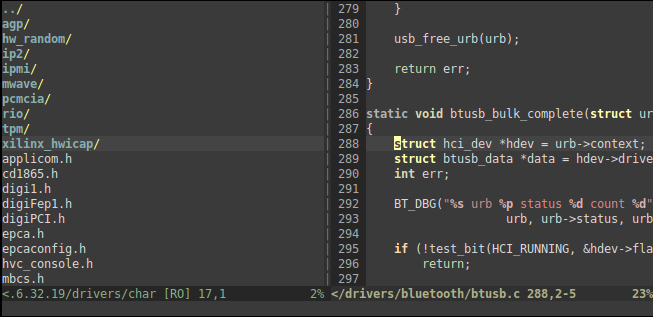
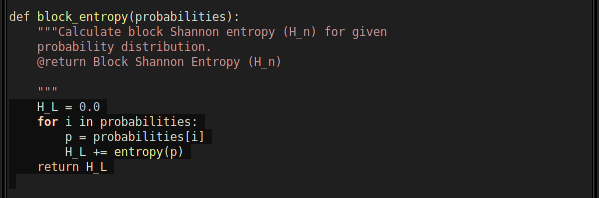

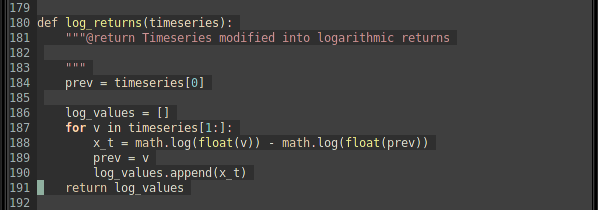
Looks repetitive? Console and Gvim do look quite much the same, but then again, that’s the point :)
Download it!
You can download Zenburn v2.19 from Vim.sf.net or from the Zenburn page.
As usual, please see the Zenburn.vim for more details, and happy zenburning!
Today is your lucky day.
Pietra Arumaga mailed me to say he has a couple of useful Zenburn-related posts for users of MacVim and Komodo.
The first one is “MacVim as IDE with Code Completion and Syntax Highlighting for Python, PyQt4 and Twisted Development on Mac OSX Snow Leopard” and the second is a downloadable Zenburn zip for Komodo Edit/IDE.
If you use a nice white-colored computer with a fruit logo on it, check it out. And thank you to Pietra!
I’ve got some backlog accumulated for Zenburn. People have sent in good suggestions, but I’ve had a bit of a shortage of time and many other things going on. Hopefully soon I’ll be able to work a bit on Zenburn and release a new version.
Anyway, in the meanwhile, please enjoy a Zenburn adaptation for Mac OS X Built-In Terminal, by Benjamin Esham.
You can download the terminal file from here. A screenshot is also available.
Thank you, Benjamin!
Yet a new Zenburn version! What’s new this time in v2.16:
(more…)
Dale Anson wrote to tell that he added Zenburn to the Lipstik look and feel. Since Lipstik isn’t much maintained, he also added to the Graphite theme from the Substance look and feel project.
Then, he added a Zenburn editor scheme to jEdit. With this scheme, and Lipstik or Substance Graphite, you get a nice Zenburn editing environment in jEdit.
Thanks to Dale, jEdit now joins the expanding list of editors, environments and tools which contain the eye-friendly Zenburn colours. Well done!
Check out a screenshot of Dale’s jEdit port.
Update: I slightly misread Dale’s email, and now the wrong part is removed.

